
Integrating Pediatric Asthma Decision Support into OpenMRS
Transforming Pediatric Asthma Care with Evidence-Based Tools
Asthma affects approximately 6 million children in the U.S., making it the most common chronic pediatric disease. This project integrates the Pediatric Asthma Severity Score (PASS) into OpenMRS to provide real-time decision support, standardizing treatment and improving outcomes for pediatric asthma patients.
Introduction
Pediatric asthma leads to frequent emergency visits and hospitalizations due to exacerbations. The PASS, a validated tool assessing wheezing, prolonged expiration, and work of breathing, guides treatment but is not yet integrated into OpenMRS. This project develops a PASS-based decision-support module to enhance clinical workflows and patient care.
Purpose
The project addresses the lack of structured decision support for pediatric asthma in OpenMRS. By automating PASS calculations, it aims to standardize severity assessments, improve treatment accuracy, and reduce hospital admissions.
Aim
To develop a real-time PASS calculator within OpenMRS, querying eligible patients and providing evidence-based treatment recommendations based on Global Initiative for Asthma (GINA) guidelines, enhancing workflow efficiency and patient outcomes.
Scope
The module will automate PASS scoring, provide real-time clinical recommendations, enhance OpenMRS UI and database, and ensure secure data handling. It includes evaluating OpenMRS API for real-time functionality and developing custom APIs if needed.
Objectives
- Weeks 1-2: Conduct requirement analysis via literature review and clinician feedback.
- Weeks 3-4: Design UI mockups and database schema for PASS integration.
- Weeks 5-8: Develop the module with 90% PASS scoring accuracy and integrate medication order sets.
- Weeks 9-10: Test functionality and usability with clinicians, targeting 90% success rate.
- Weeks 11-12: Deploy in a simulated environment, evaluate performance, and ensure data security compliance.
Timeline
- Weeks 1-2: Requirement Analysis (Emerson, Venu, Shivani)
- Weeks 3-4: UI/UX Design (Shivani, Venu, Emerson)
- Weeks 5-8: Database & Backend (Emerson), Decision Rules (Venu)
- Weeks 9-10: Testing & Validation (Emerson, Venu, Shivani)
- Weeks 11-12: Deployment & Evaluation (Emerson, Venu, Shivani)
Conclusion
This project enhances OpenMRS with a pediatric asthma decision-support system, automating PASS calculations and providing real-time recommendations. It aims to reduce hospitalizations, improve workflow efficiency, and enhance patient outcomes through standardized care.
Project in Action: The AsthmaCare Tool
The following screenshots walk through the key functionalities of the Pediatric Asthma Management tool (AsthmaCare), demonstrating the workflow from patient lookup to treatment recommendations and reassessments, as outlined in this project.
Step 1: AsthmaCare Dashboard
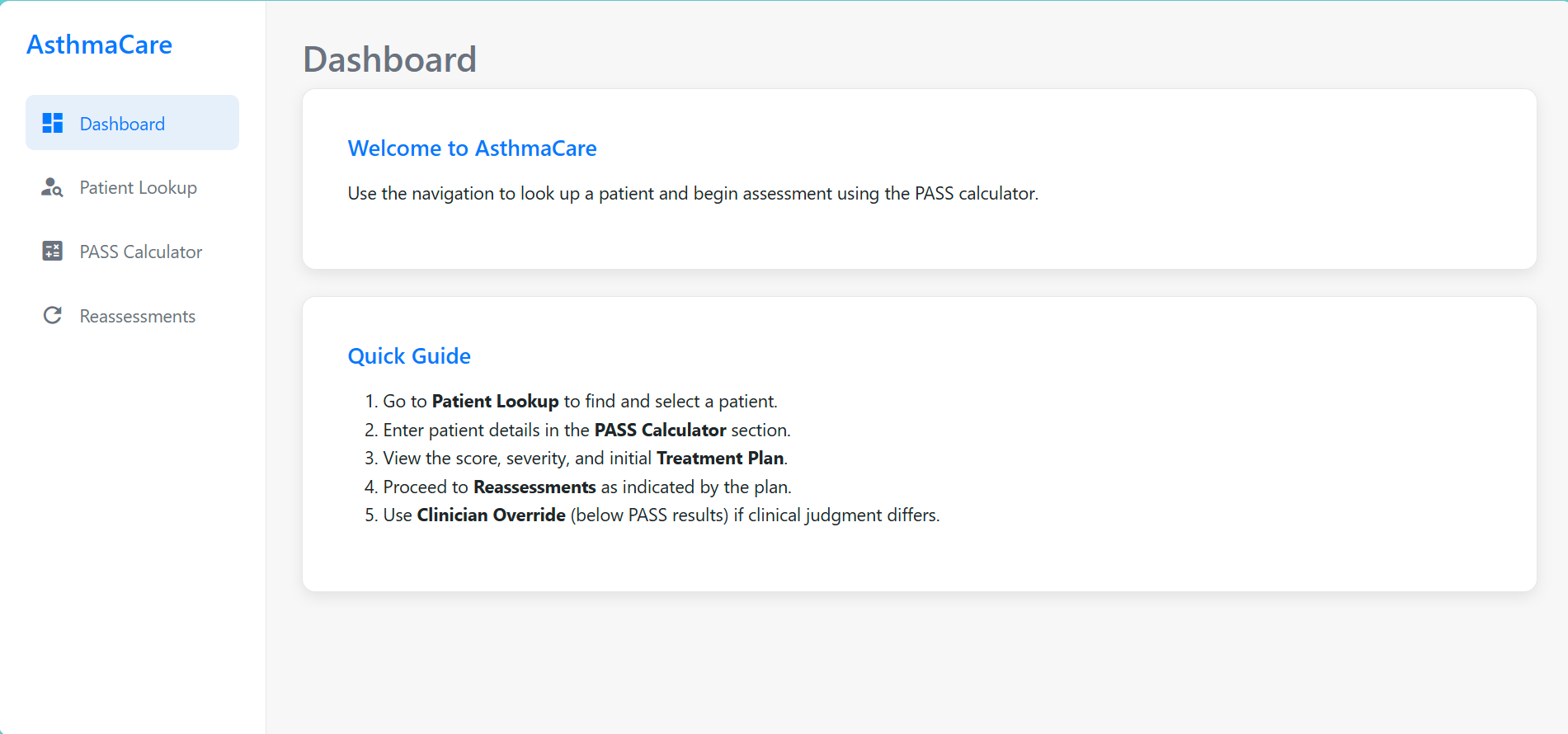
The application opens to the AsthmaCare Dashboard. This central hub provides a welcome message and a quick guide to using the tool. Key navigation options such as Patient Lookup, PASS Calculator, and Reassessments are conveniently accessible from the sidebar, allowing clinicians to easily move between different modules of the application.
Step 2: Patient Lookup and Selection
Initial Lookup Interface
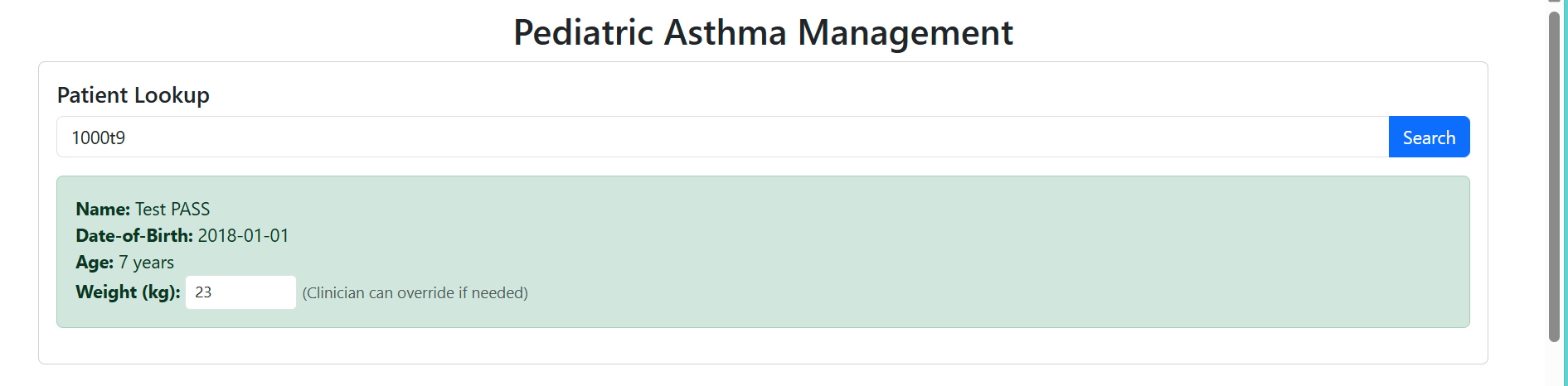
The workflow typically begins with the "Patient Lookup" feature. Clinicians can enter a patient identifier (e.g., "1000f9") to search for and retrieve specific patient records. Once a patient is found, basic demographic information such as Name, Date-of-Birth, and Age is displayed. An essential field for inputting or overriding the patient's weight (in kg) is also provided, which is critical for accurate, weight-based treatment calculations.
Successful Patient Search
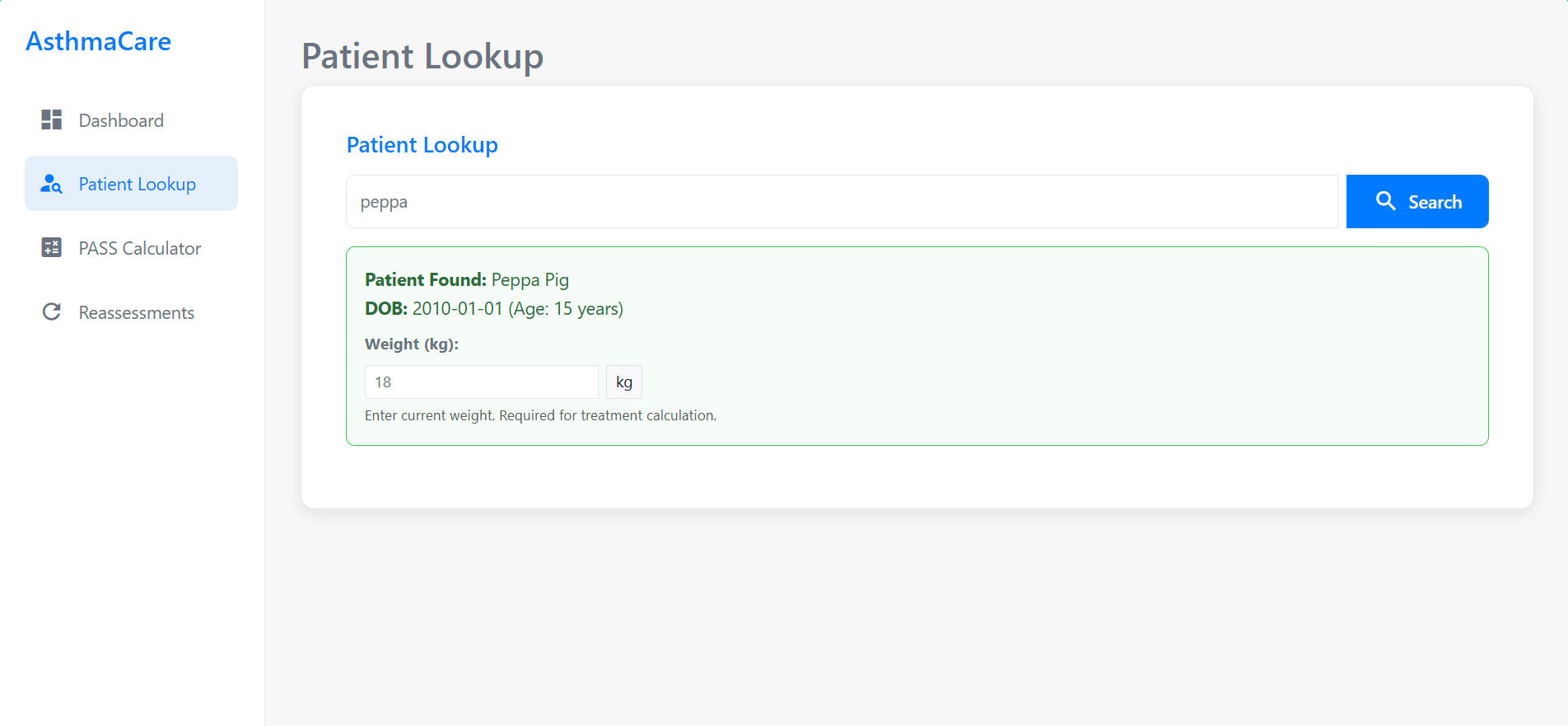
This image demonstrates a successful patient search using a name (e.g., "peppa"). The system has found "Peppa Pig," displaying her Date of Birth (DOB) and current age (15 years). The interface then prompts the clinician to enter the patient's current weight, reinforcing that this information is required before proceeding with the PASS assessment and treatment calculations.
Step 3: PASS Calculator - Data Entry
Clinical Parameters Input
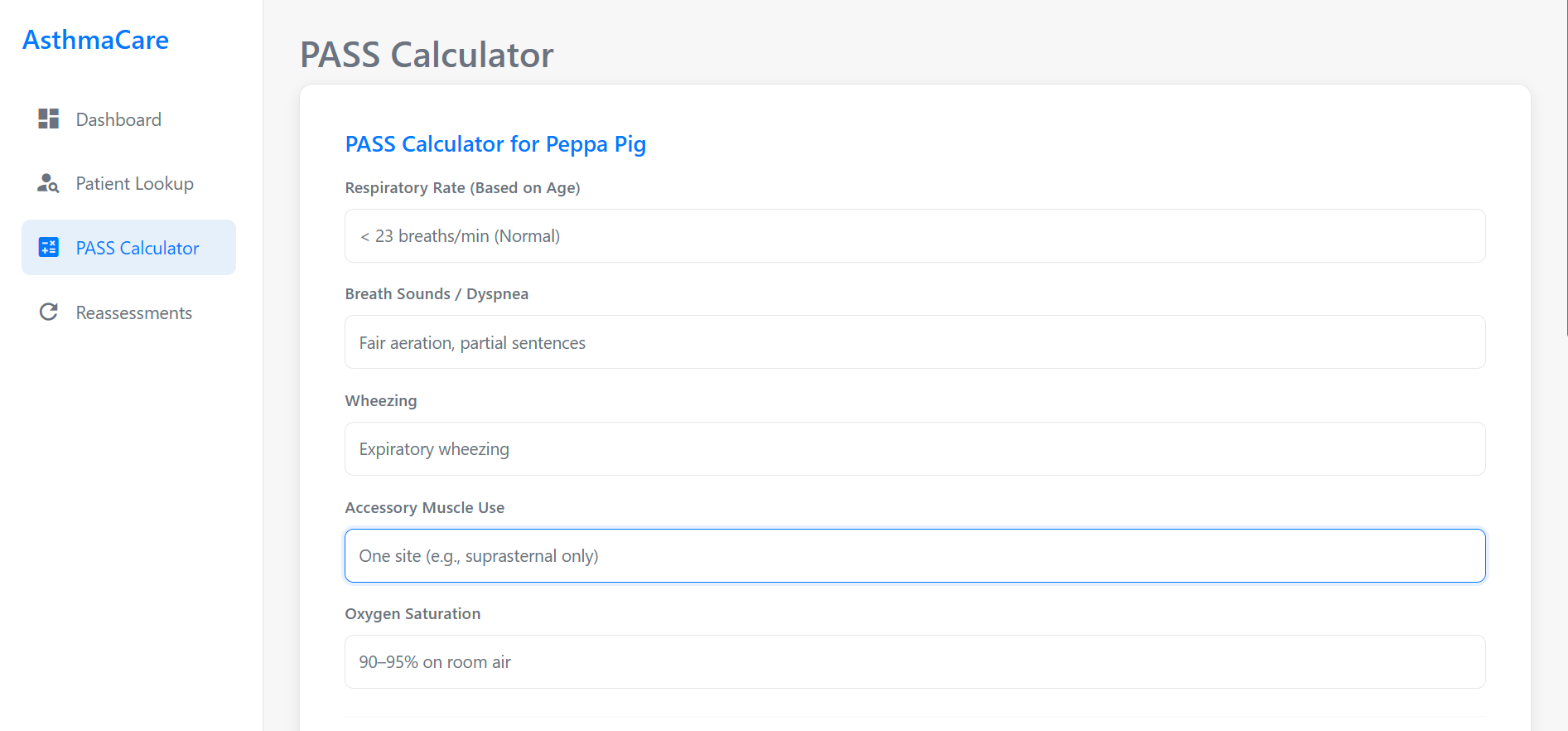
After selecting a patient, the clinician navigates to the PASS (Pediatric Asthma Severity Score) Calculator. This section is crucial for inputting observed clinical parameters for the patient, such as "Peppa Pig" in this example. Fields include Respiratory Rate (with age-based normal values provided for reference), Breath Sounds/Dyspnea, observed Wheezing, Accessory Muscle Use, and current Oxygen Saturation levels.
Patient-Reported Outcomes (Optional)
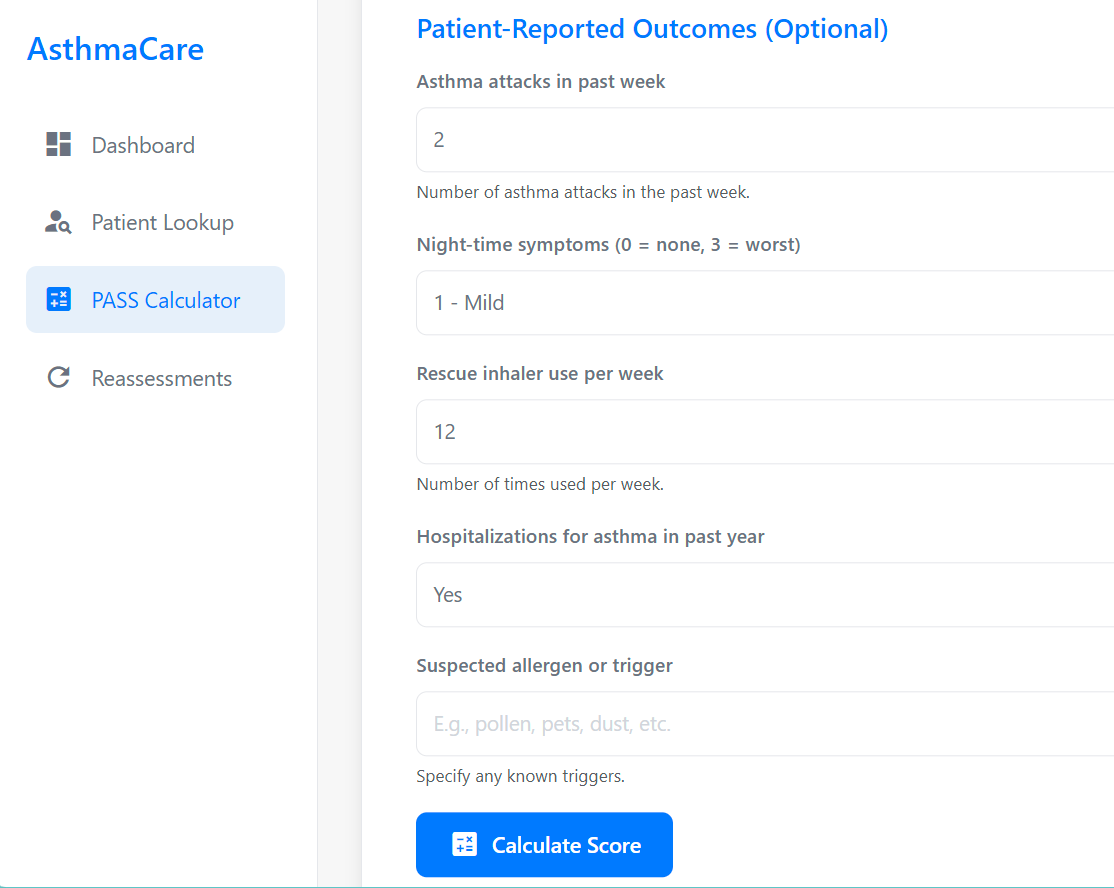
The PASS Calculator also includes an optional section for Patient-Reported Outcomes (PROs). This allows for a more comprehensive assessment by capturing the patient's recent experiences, such as the number of asthma attacks in the past week, severity of night-time symptoms, frequency of rescue inhaler use, any hospitalizations for asthma in the past year, and suspected allergens or triggers. Once all relevant information is entered, the clinician clicks the "Calculate Score" button to proceed.
Step 4: Reviewing PASS Results & Treatment Recommendations
Calculated PASS Score and Severity
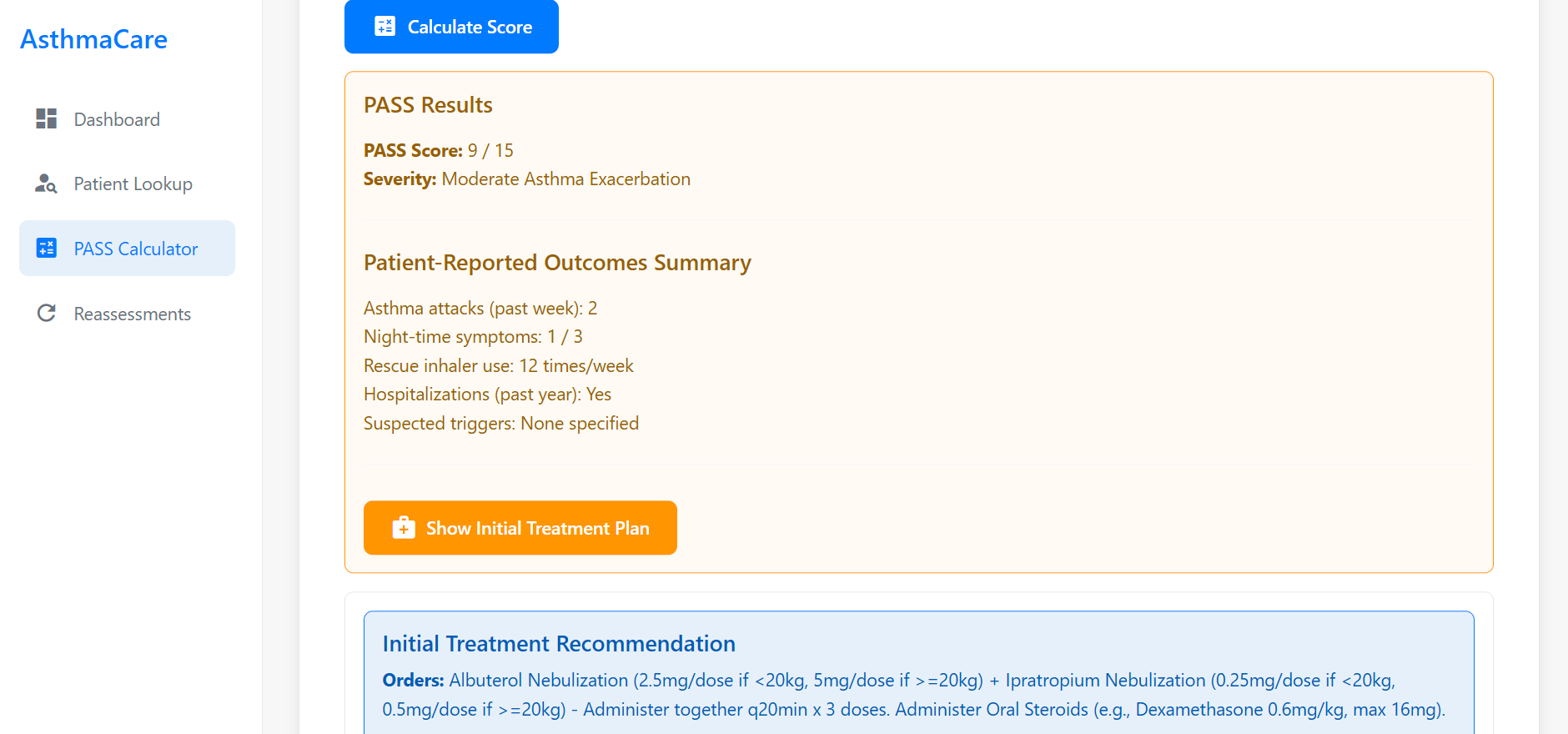
Upon calculation, the system presents the PASS Results. This includes the calculated PASS Score (e.g., 9 out of 15) and the corresponding asthma severity level (e.g., "Moderate Asthma Exacerbation"). A summary of the entered Patient-Reported Outcomes is also displayed for a quick overview. The clinician can then choose to "Show Initial Treatment Plan."
Initial Treatment Recommendation Details
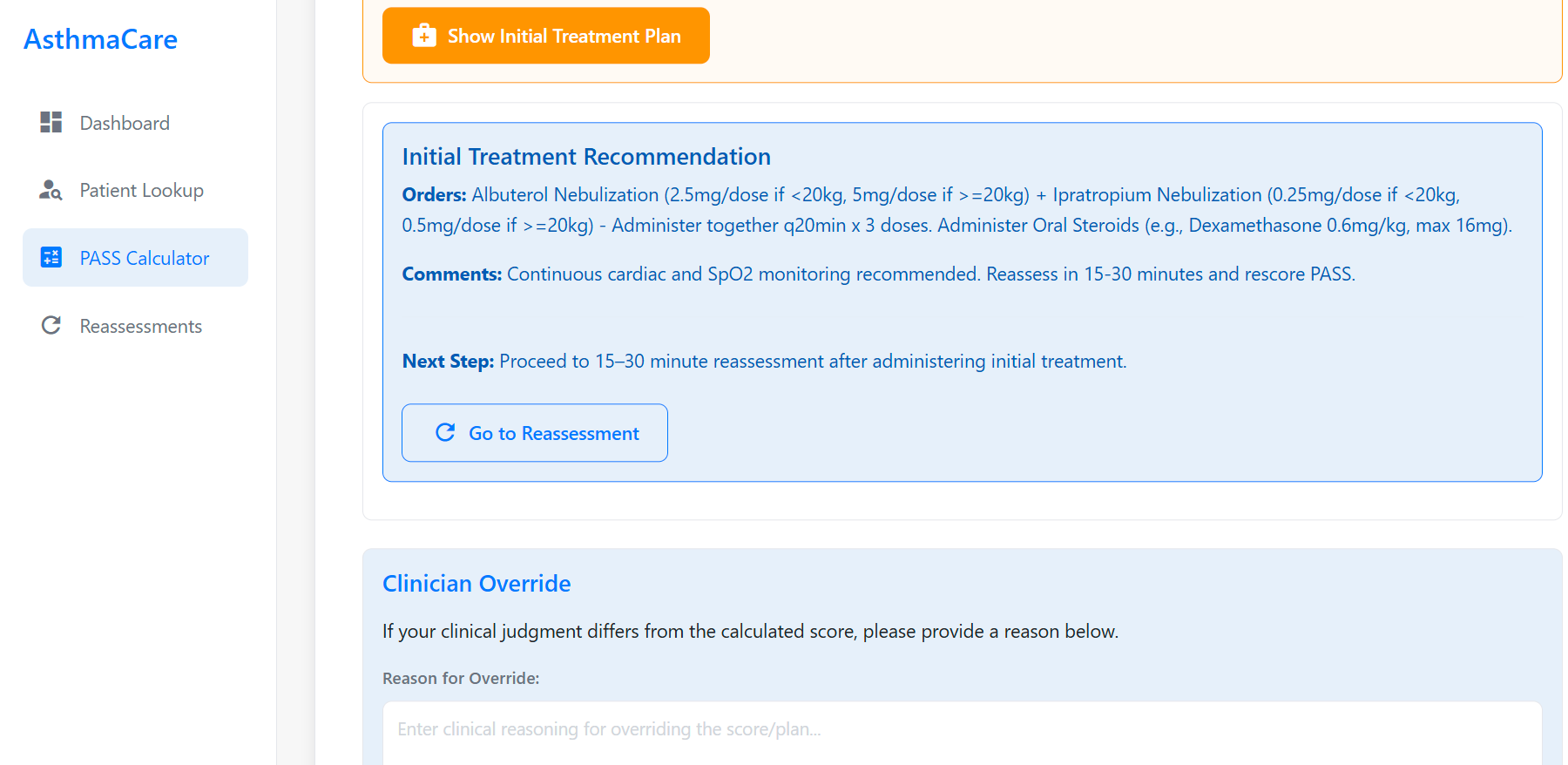
The Initial Treatment Recommendation section outlines the evidence-based treatment plan. This includes specific medication orders (e.g., Albuterol Nebulization, Ipratropium Nebulization, and Oral Steroids with dosages adjusted for weight if applicable). Important comments, such as the need for continuous cardiac and SpO2 monitoring, are provided. The "Next Step" clearly indicates that a reassessment is required after administering the initial treatment (e.g., "Reassess in 15-30 minutes"). A "Clinician Override" section is thoughtfully included, allowing practitioners to document their reasoning if their clinical judgment leads to a deviation from the proposed plan.
Step 5: Reassessment Workflow
Reassessment Data Entry
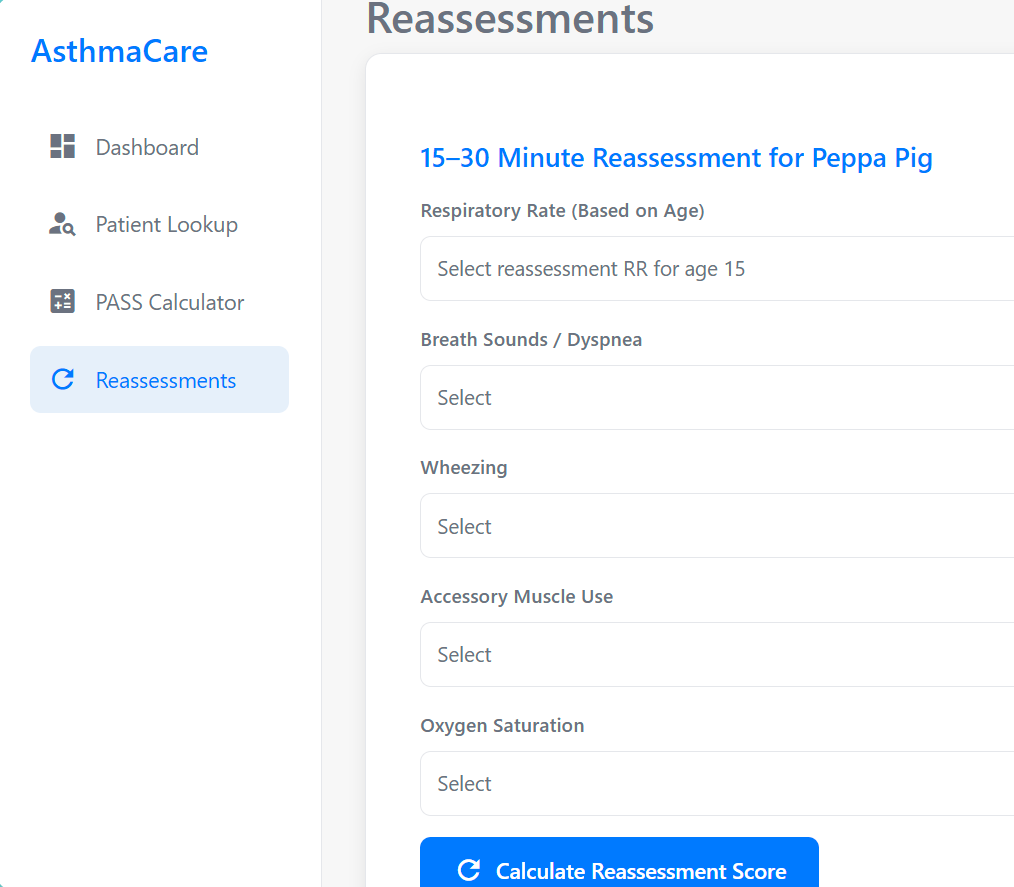
Following the initial treatment, the system guides the clinician to the Reassessment phase. This example shows the "15–30 Minute Reassessment" screen for "Peppa Pig." Similar to the initial PASS calculator, this module requires the input of updated clinical parameters, including current Respiratory Rate (with selection tailored for the patient's age), Breath Sounds/Dyspnea, Wheezing, Accessory Muscle Use, and Oxygen Saturation levels. This allows for tracking changes in the patient's condition.
Reassessment Results and Updated Action Plan
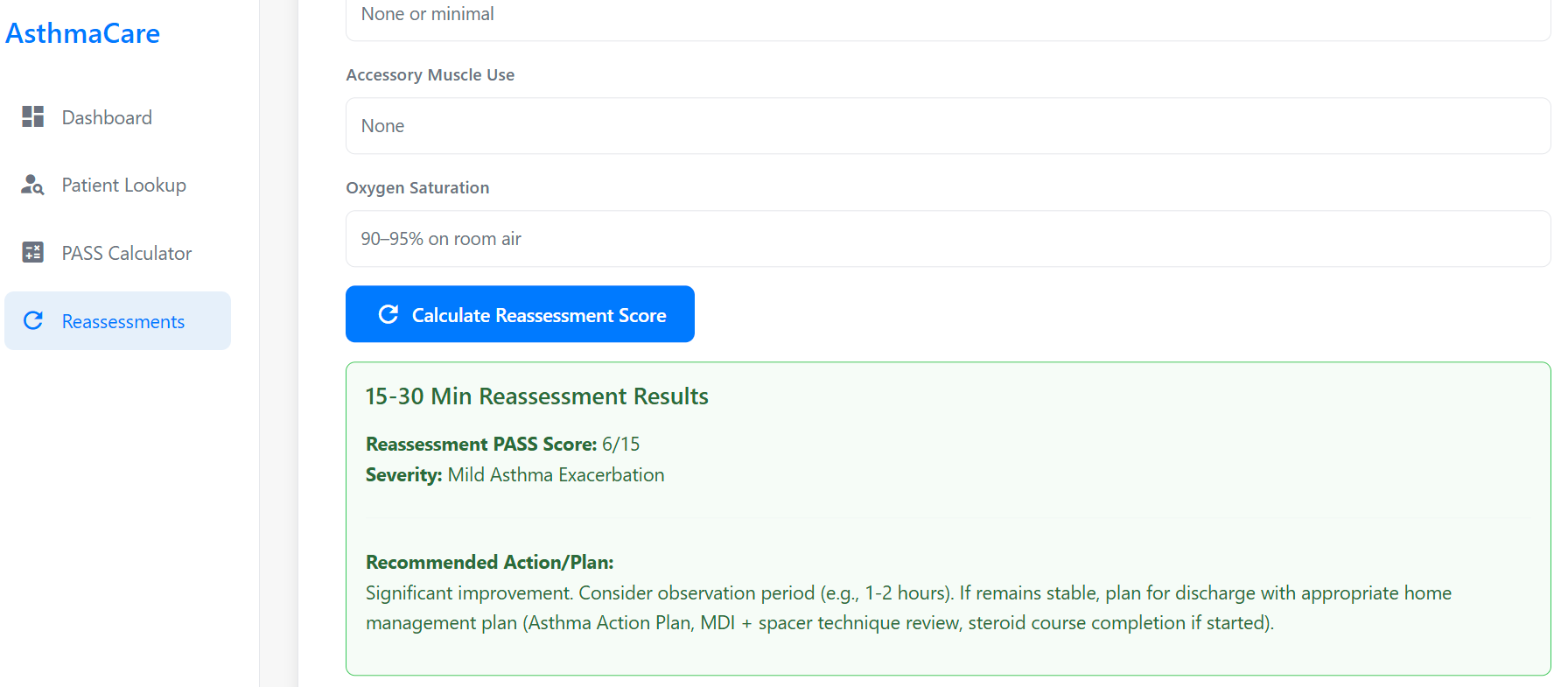
After the reassessment data is submitted and calculated, the system displays the "15-30 Min Reassessment Results." This includes the new Reassessment PASS Score (e.g., 6/15) and the updated severity (e.g., "Mild Asthma Exacerbation"). Based on this new score, a "Recommended Action/Plan" is provided. For instance, if significant improvement is noted, the plan might suggest an observation period (e.g., 1-2 hours), and if the patient remains stable, to plan for discharge with an appropriate home management plan (including Asthma Action Plan, MDI + spacer technique review, and steroid course completion if started).
Team Members
Venu Madhav Pentala
Emerson Alvarado
Shivani Gaikwad